01
A plan that follows your days.
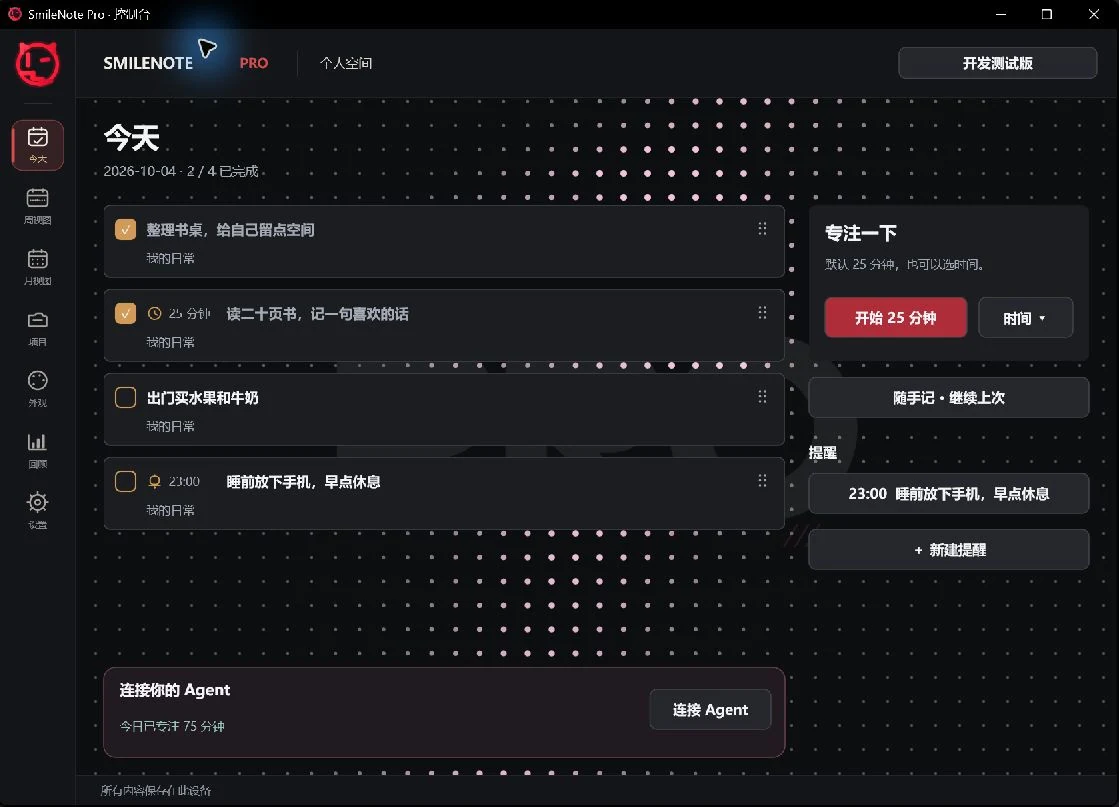
Create dated tasks and see them in Today, week and month views. Check a box to complete a task. Use the dedicated handle to reorder tasks within the same day.
SMILENOTE / PRO

Smilenote Pro is a Windows notes organizer for reminders, focus tasks and nested notes. Your everyday workspace stays on your computer.
Windows 10 / 11 · x64
01
Create dated tasks and see them in Today, week and month views. Check a box to complete a task. Use the dedicated handle to reorder tasks within the same day.
02
A clock marks a focus task and its duration. A bell marks a reminder and its time. Start with 25 minutes or choose a duration; the note shows the countdown.
03
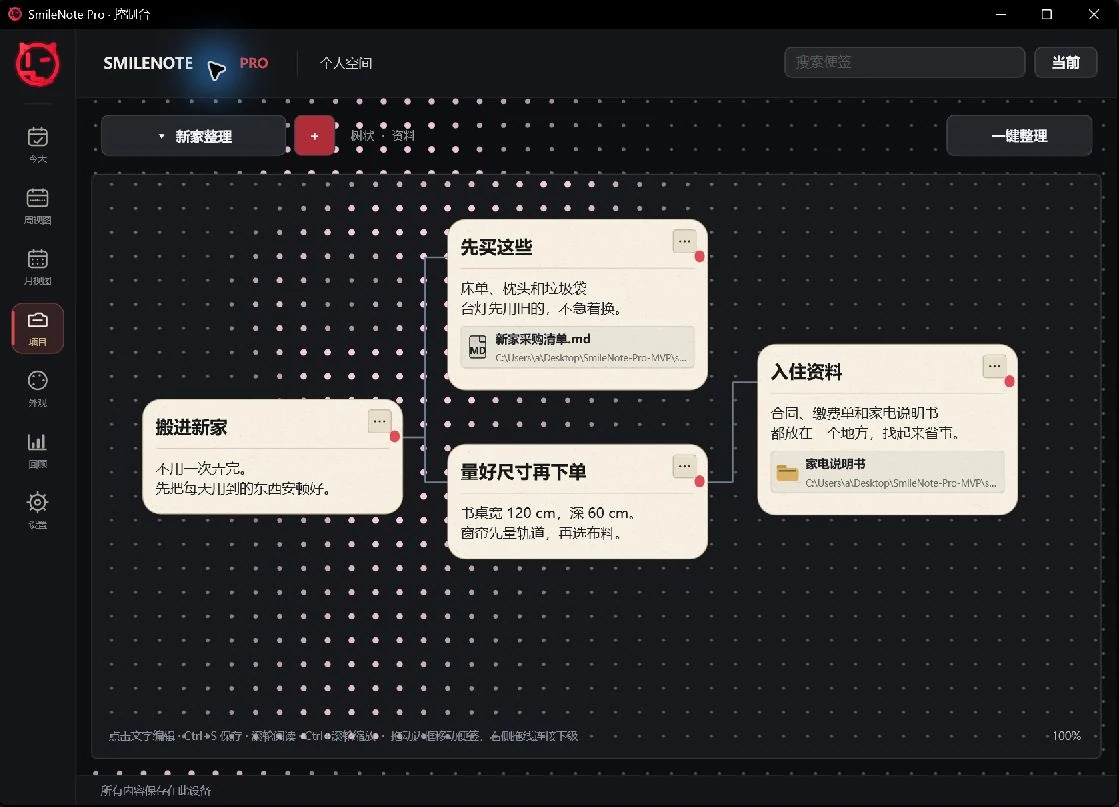
Use flat or tree projects for plans and reference material. Connect parent and child notes, move them and organize the canvas. Images support text wrapping; file cards open their local originals.
04
Quick notes reopen your previous writing. Save with the button or Ctrl+S. Moving away from an unsaved draft offers save, discard or cancel.
Today, week and month views
05
Paper, liquid glass, starfield and custom appearances. Adjust color, opacity, typography and spacing, then select the saved appearance for a task note or quick note.
Focus, reminders and weekly review
06
Keep reference material locally, review the week and export a workspace backup. Connect external AI through MCP when you want help creating a plan or editing notes; review writes before saving.
Agent guide →Tree projects, images and file links
SMILENOTE PRO
One-time purchase. No subscription.
Regional price examples supplied by the developer. Final price and availability are shown in Microsoft Store. Language does not determine your market.
US$9.59
Get Pro on Microsoft Store| Feature |  SmileNote Free SmileNote Free | SmileNote Pro |
|---|---|---|
| Notes & writing | ||
| Floating desktop notes | Titles and task lists | Task notes and free-form quick notes |
| Tasks & reminders | ||
| Check off and reorder tasks | Check off; drag task numbers | Check off; handles in dated lists |
| Today, week and month views | Not included | Included |
| Timed reminder tasks | Not included | Bell, time and task; app must be running |
| Focus timer | Not included | 25-minute default; selectable duration |
| Projects & reference material | ||
| Flat and tree layouts | Not included | Parent–child links, move, zoom and arrange |
| Review & statistics | ||
| Weekly review bars | Not included | Task progress and focus time separately |
| External agents | ||
| Local MCP for external agents | Not included | Compatible Codex, Claude Code and other clients |
| Data & access | ||
| Purchase access | Free; no timed trial | One-time Store purchase; license verification |
Start with a note. Build a plan when you are ready.
Windows 10 / 11 · x64 · One-time purchase. No subscription.